OrangeNoise 3.0 · Sleep & Focus
Find your quiet.
Watch it unfold.
Sound for sleep and focus.
Living visuals. A little space to make your own.
Six sounds. Three Silk visuals. Free to begin.
iPhone, iPhone Duo & iPad.
Sounds, blending & saved favorites
Six sounds, generated live on your device. No looping recordings. Listening works offline.
- OrangeNoise
- Brown
- Pink
- White
- Green
- Blue
What can I adjust for free?
Volume and Tone are included. OrangeNoise also has Rain and Softness controls. Listen in the background or with your screen locked, with timers up to two hours and fades up to 30 seconds.
What does Pro add to the sound?
Mix five noise colors, add audio Motion, and keep six named sound presets. Pro also adds sharing, two saved routines, timers up to ten hours or Indefinite, and fades up to five minutes. Try the adjustable 60-second Blend preview free before deciding.
Can I start it from a shortcut?
The free Start or Stop OrangeNoise action toggles your current sound from Control Center, Shortcuts, or a supported iPhone Lock Screen. Configure your sound in the app first. A separate Pro action starts a saved routine.
A new view of your sound
Quiet, from
every angle.
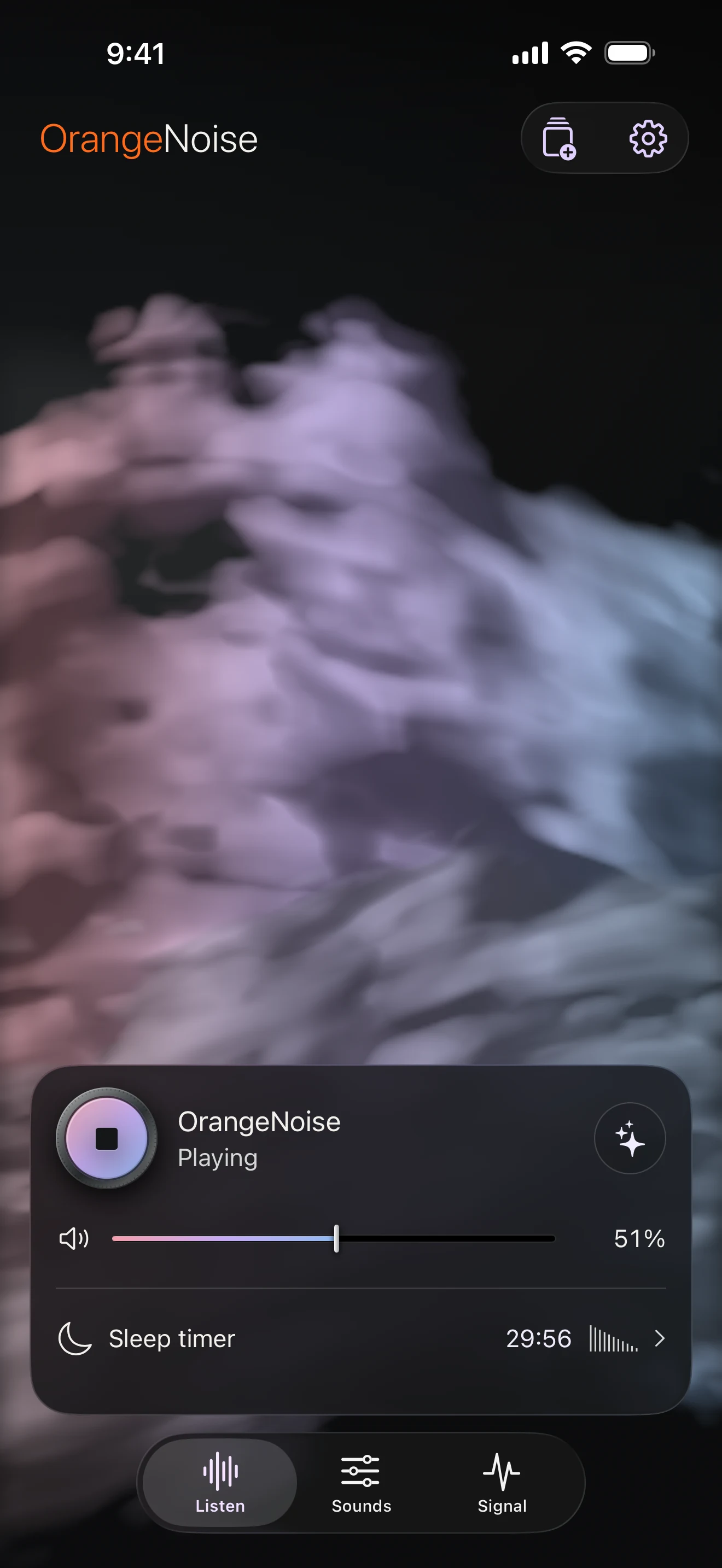
Your visual stays with you across Listen, Sounds and Signal. Glass controls float above it, with playback always close by.
Swipe between the portrait screens, or use the navigation below. Same sound. One continuous experience.
Scroll through the three views.
Listen
A little room to drift.
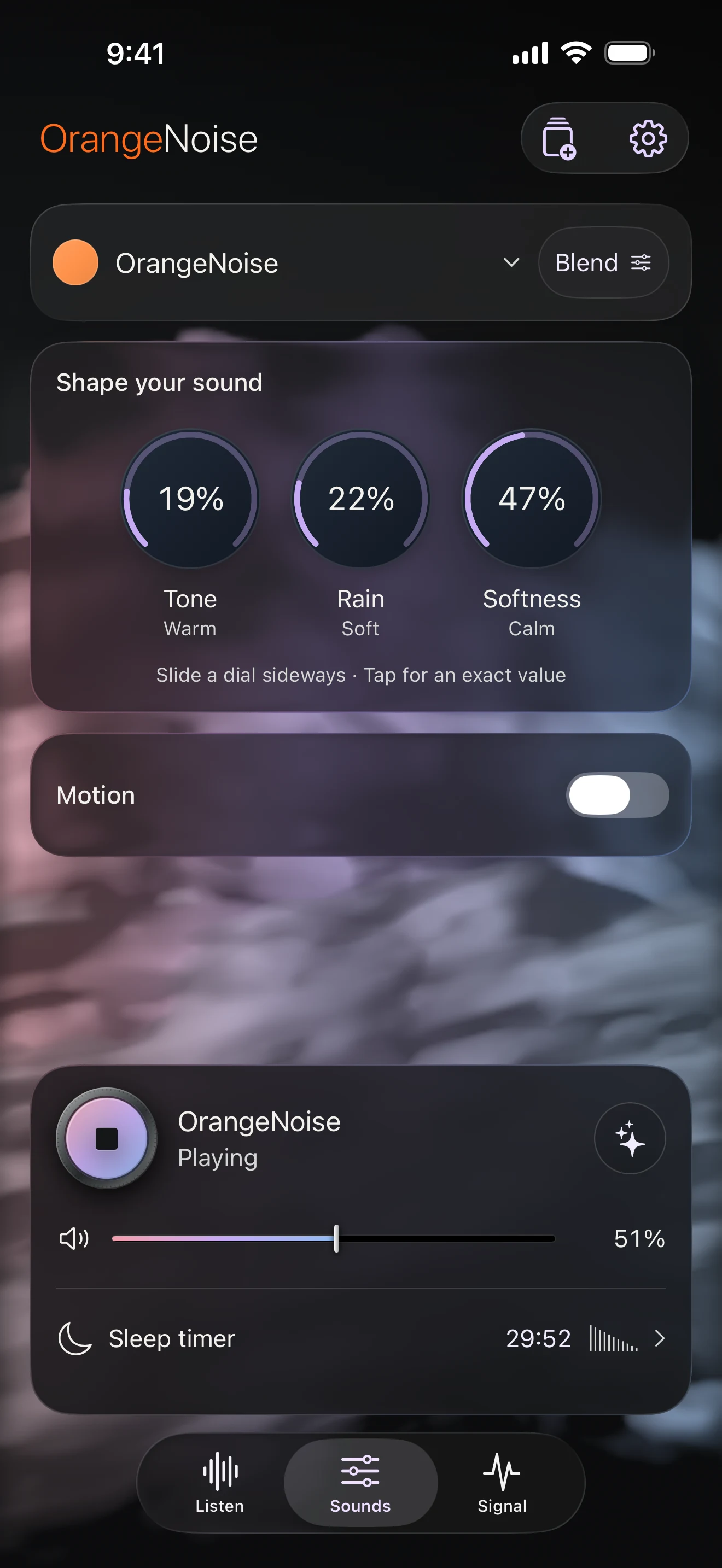
Sounds
Find your balance.
Signal
See what you hear.
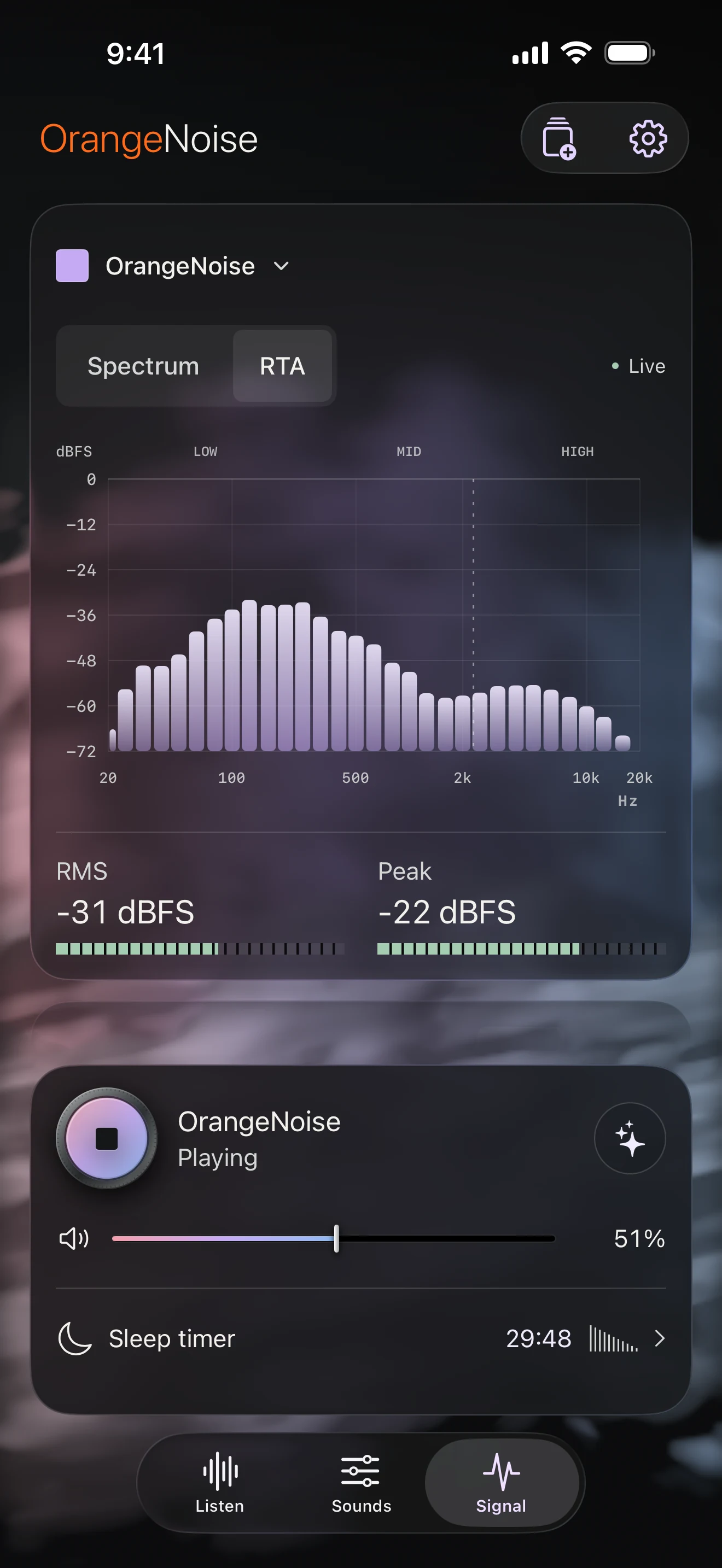
Actual app screens · Glass layouts included free · Clouds, App color and Signal require Pro.
Shape it by touch. Choose a sound from the color capsule. Adjust consistent, color-coded dials to find the balance you like.
Keep the view. Controls soften beneath the player as you scroll. Presets and Settings slide up when you need them.
Explore visuals, color & movement
Twelve styles across four collections. Each responds to the sound generated inside OrangeNoise, without using your microphone.
Which visuals are included?
Three Silk styles are free: Suspended silk, Open cocoon, and Folded light. Pro adds Aurora veil, Tidal glass, Moonlit water, Opal bloom, Cloud chamber, Cloud tide, Silver lining, Nebula bloom, and Wind clouds.
Can I keep the sound and change the color?
Yes. The free appearance follows your sound. Pro App color lets you choose 15 single colors or four blends—Rainbow, Twilight, Ocean, and Sunset—without changing the audio. Pro also adds optional Aurora glow over any visual.
Can I make the movement gentler?
Choose Subtle, Balanced, or Expressive sound response and set travel speed. Silk, Atmospheres, and Clouds also have morph speed; Clouds adds Soft–Clear clarity. Each category remembers its settings. Visuals settle when playback stops and respect Reduce Motion.
One familiar app
More room.
Same quiet.
From a moment in your hand to a view that opens up. OrangeNoise finds its place.
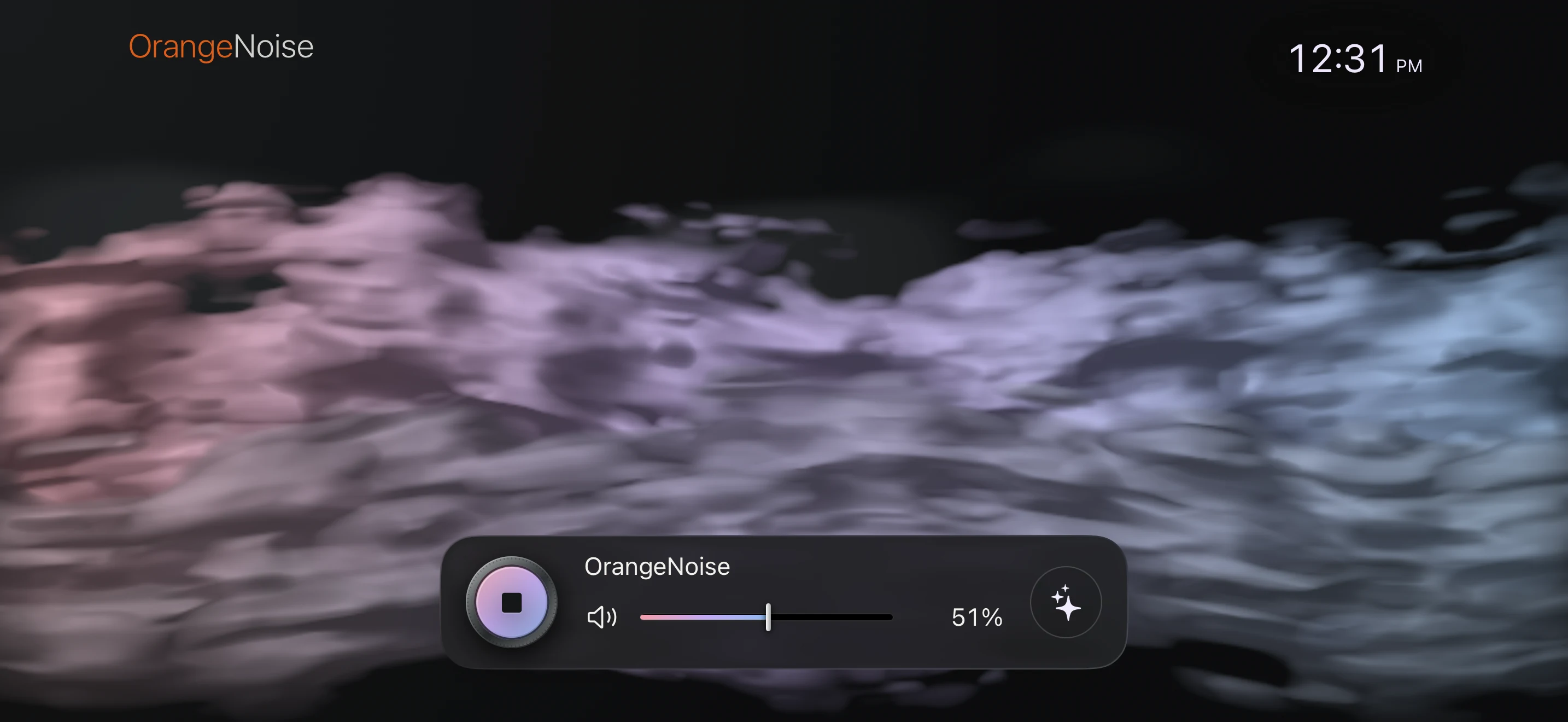
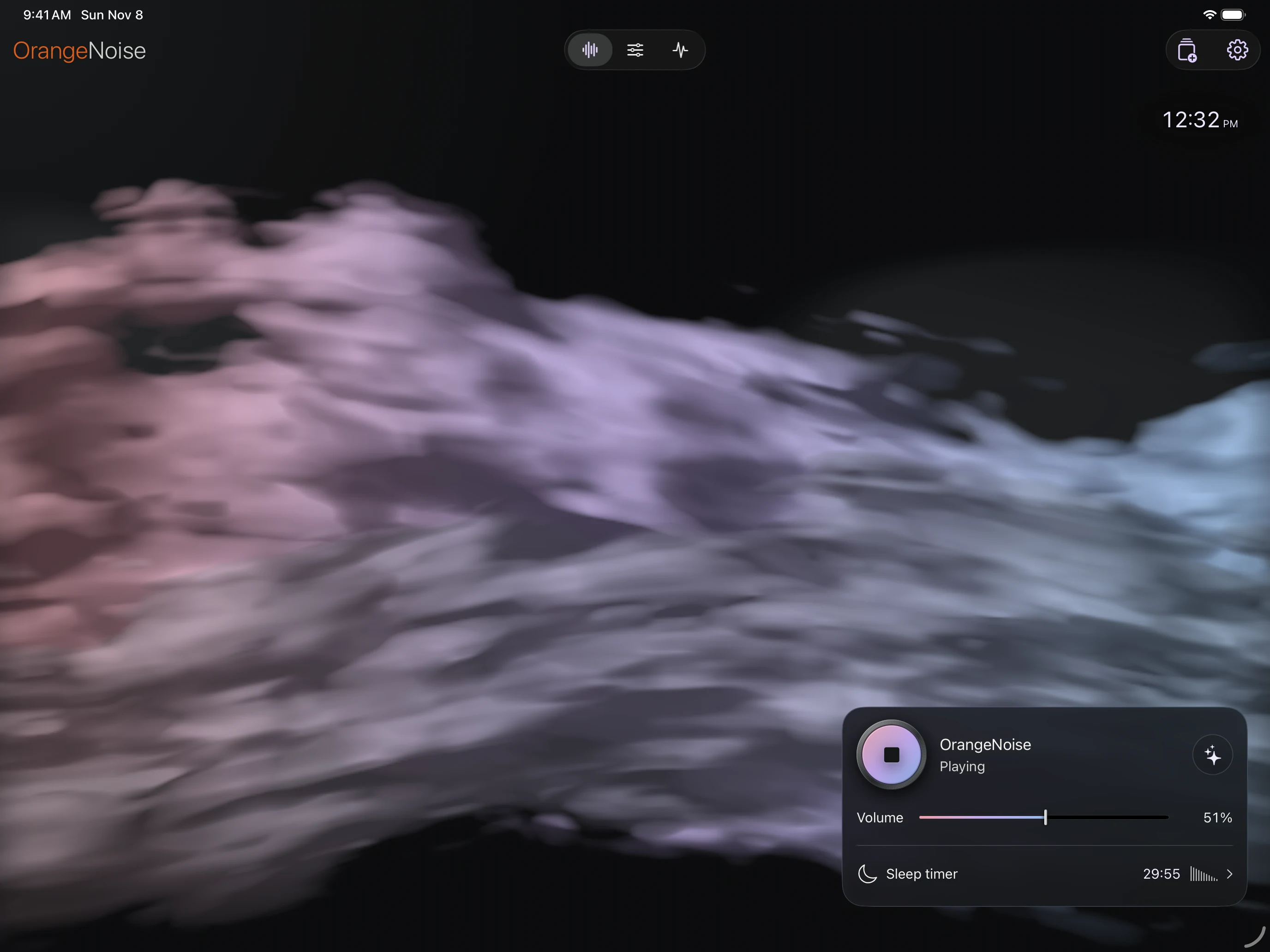
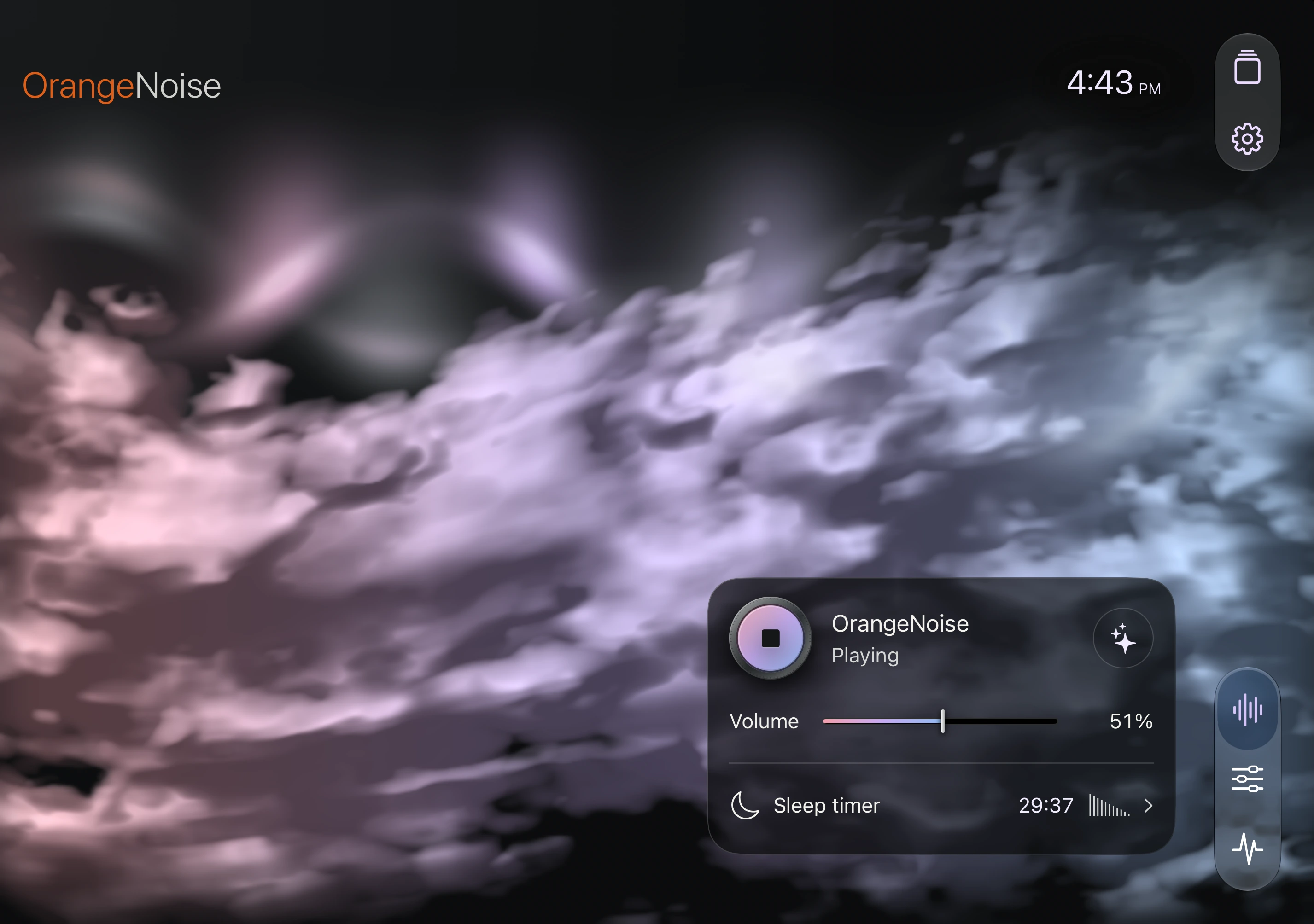
Your device, controls & workspace
The same sounds, visuals, and saved favorites, with room for each screen. The adaptive layouts are included free; Pro features still require Pro.
iPhone: in your hand or turned sideways
In portrait, Listen, Sounds and Signal share a full visual backdrop and floating glass controls. Swipe through the three views or tap their navigation buttons. Turn Listen sideways for the immersive landscape view, clock and playback controls. Presets and Settings open as sheets you can swipe down.
iPad: keep the view while you make changes
The full app works in portrait or landscape. Controls and editors float at the side or near the bottom as your window changes. With Pro, Blend’s five color controls live in Sounds, while Signal uses the clear space beside or above the workspace.
iPhone Duo: closed, open, or folded
A continuous visual fills the display. Controls move from the bottom when closed to the right when open, or the lower usable surface in tabletop. Editors stay in the floating workspace. Night Display works in every Duo Listen posture.
Do I need another app or Pro purchase?
No. Use the same app and the Apple Account that owns Pro; choose Restore purchases if needed. With Pro, share saved sounds and complete routines as OrangeNoise files between iPhone, Duo, and iPad.
The quiet hours
A softer view.
For quiet hours.
A gentler glow, with your own levels for a brightened and dimmed screen. Settle into Night red or keep your usual colors.
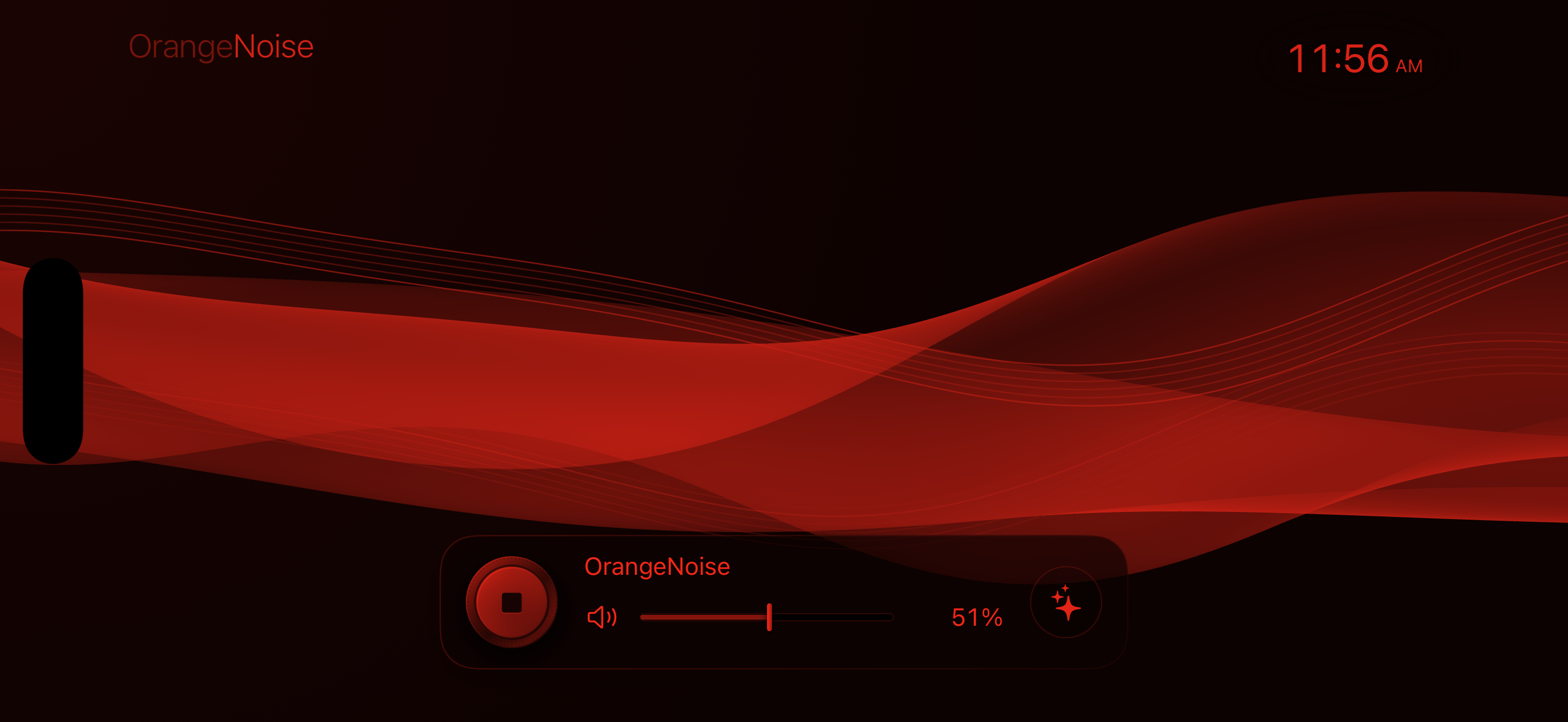
A night, arranged by you.
With Pro, bring saved sounds together in a routine with time windows and gentle fades. Free audio runs up to two hours; Pro adds longer sessions.
Night Display, routines & timers
Night Display is free. Pro adds longer listening and routines. Display and audio timers stay separate.
How does Night Display work?
Choose Normal color or Night red, an inactivity delay, and separate brightened and dimmed levels. Tap to brighten gently. Night Display needs OrangeNoise open on an awake, unlocked device; it cannot wake a locked screen. The clock has three sizes and follows your device’s local time.
What can a routine do?
With Pro, arrange saved sounds into time windows and choose their fades. End after the last window, at a time, or keep the final sound going until you stop. A single agenda holds the night together. Saving changes does not start sound.
Can a routine start later?
Yes, with Pro. Schedule an in-app start and keep OrangeNoise in the foreground and unlocked while it waits. Schedule it again each night. For a start while the device is already locked, create your own Time of Day automation in Shortcuts using Start OrangeNoise Routine. OrangeNoise cannot open Apple StandBy itself.

Free + Pro
Plenty to begin.
More to make your own.
The core listening experience is free.
Pro is one purchase. No subscription.
Included free
Six sounds. Three Silk styles. Tone controls, Night Display, and timers up to two hours.
OrangeNoise Pro
More visuals and colors. Your own blends, saved sounds, nightly routines, and longer listening.
Compare every Free & Pro feature
Included free
Six sounds, Tone, and OrangeNoise Rain and Softness. Three Silk visuals and their movement controls. Sound-following color, clock, Night Display, and adaptive device layouts. Background listening, quick playback controls, two-hour timers, 30-second fades, and a 60-second Blend preview.
One-time Pro purchase
Nine more visuals, Aurora glow, cloud clarity, and App color. Your own blends, audio Motion, six sound presets, two routines, sharing, and Signal. Timers up to ten hours or Indefinite, with fades up to five minutes. No subscription.
No accounts. No ads. Sound generated on your device.
Optional app analytics are off by default. Manage sharing · Privacy policy. Apple handles Pro purchases.